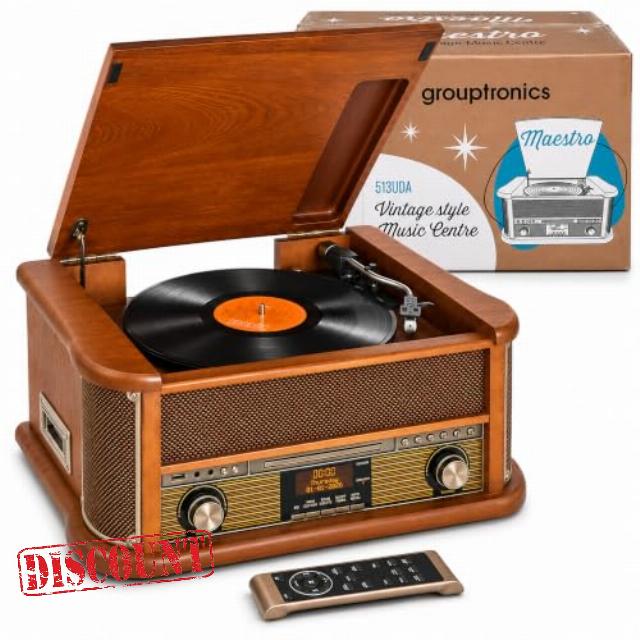
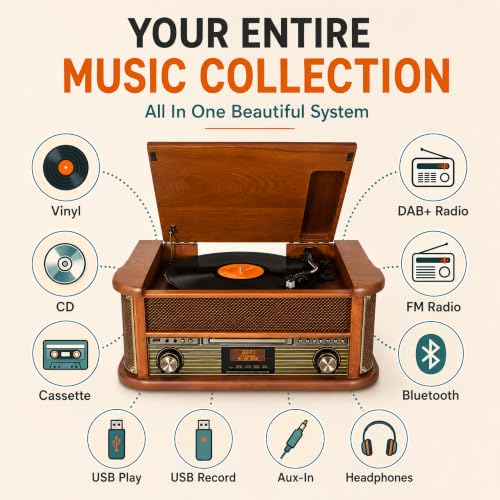
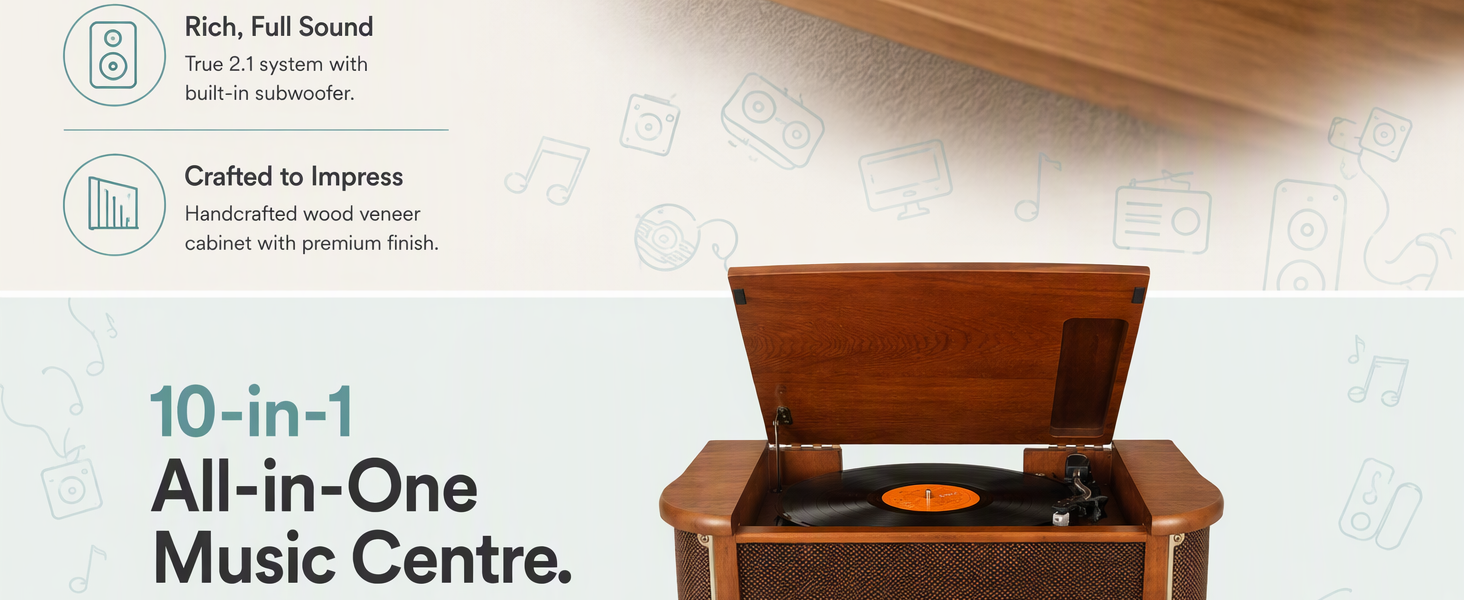
- 10-IN-1 MUSIC CENTRE – Vinyl, CD, MP3, cassette, DAB and DAB+ digital radio, FM, Bluetooth, USB playback and USB recording, plus a 3.5mm aux in. One hi-fi music system with turntable, not a stack of separates.
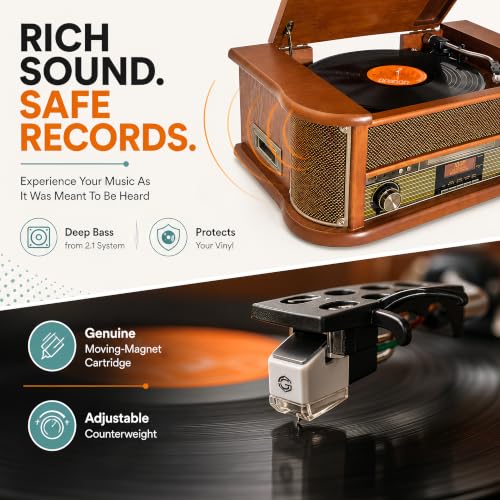
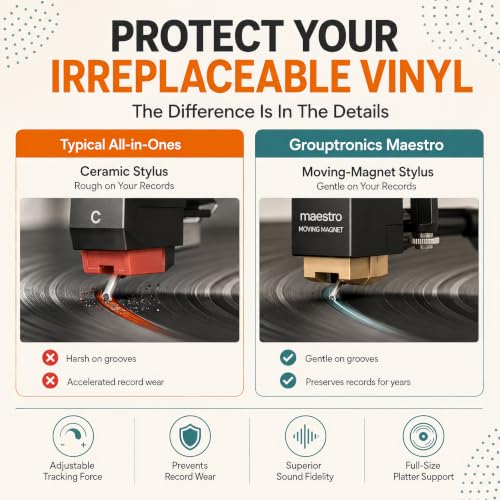
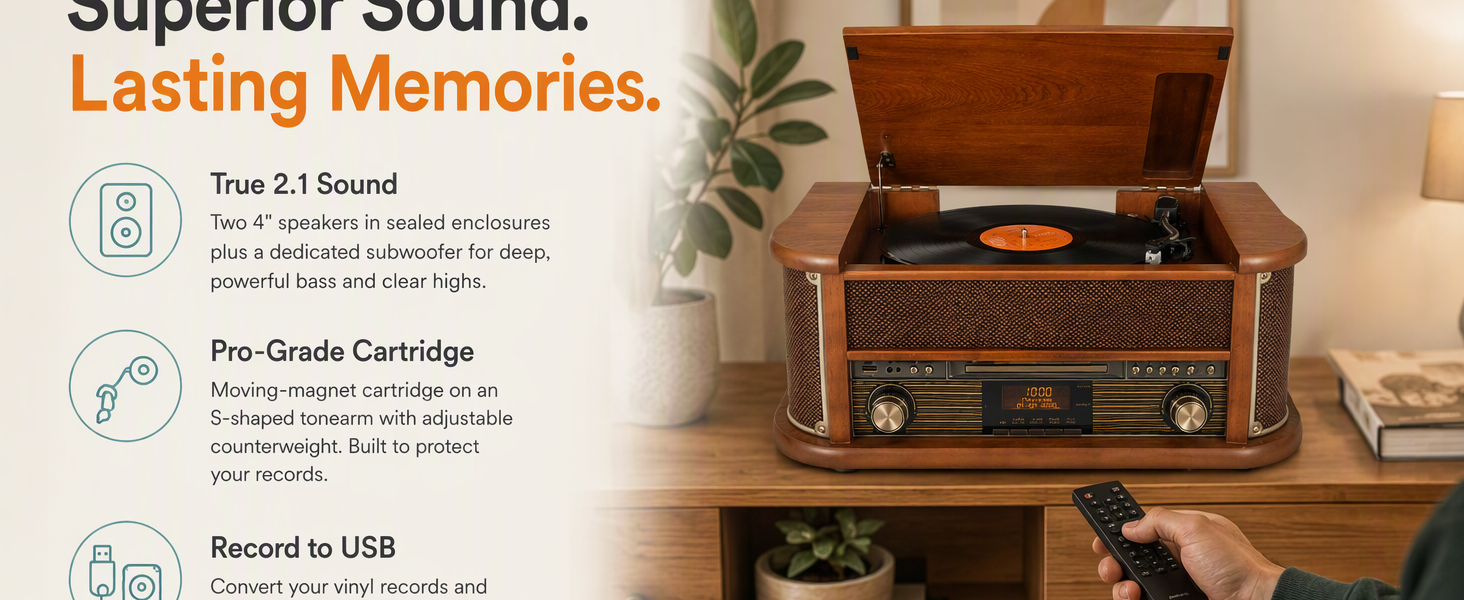
- MOVING-MAGNET CARTRIDGE – Protects your records. A genuine moving magnet cartridge on an S-shaped tonearm with adjustable counterweight sets tracking force properly, unlike the fixed ceramic stylus on most all-in-one turntables.
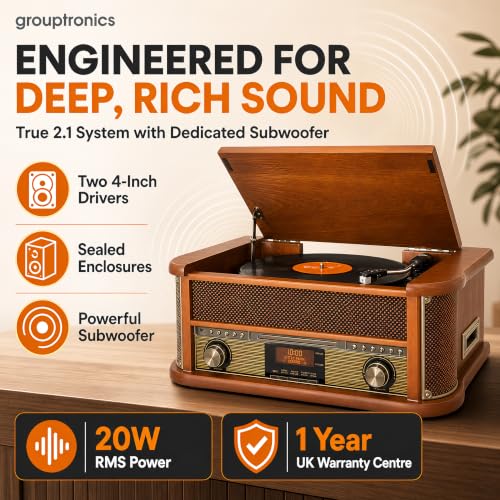
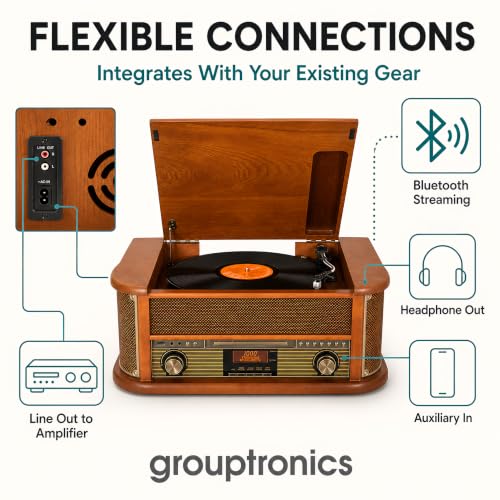
- TRUE 2.1 SOUND – Two 4in full-range drivers in separate sealed speaker boxes, plus a dedicated subwoofer, give this hi-fi stereo system 20W RMS of real bass. Front aux in and headphone jack, rear line out to an amp.
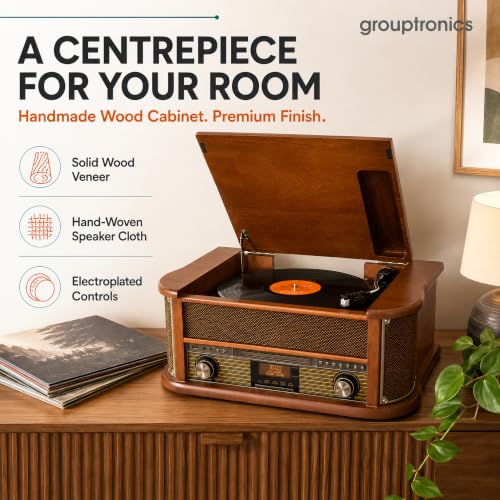
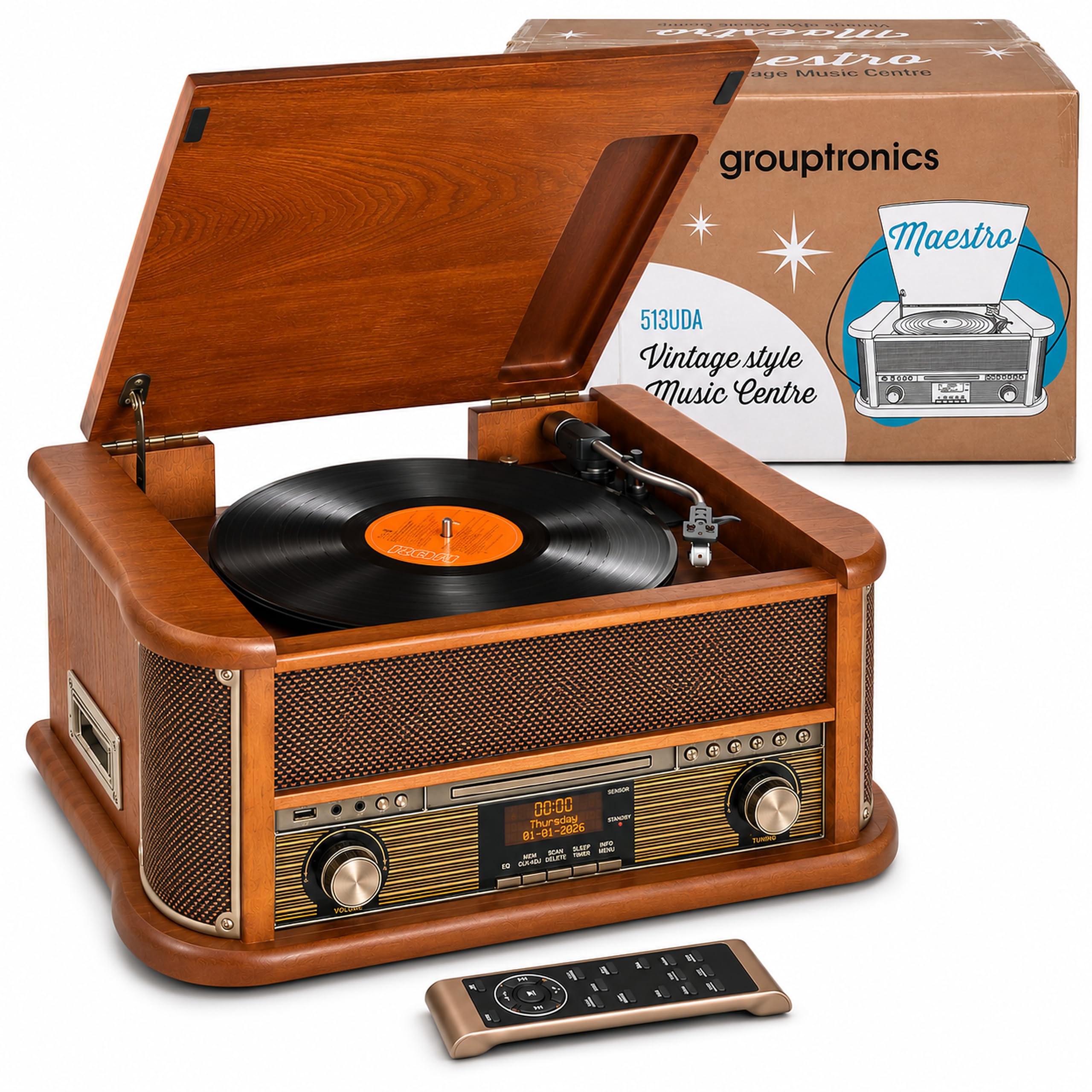
- HANDMADE WOODEN CABINET – Built by hand in solid wood veneer with an oil-based finish and electroplated controls. A vintage style music centre and stereo system that looks like furniture, not moulded plastic.
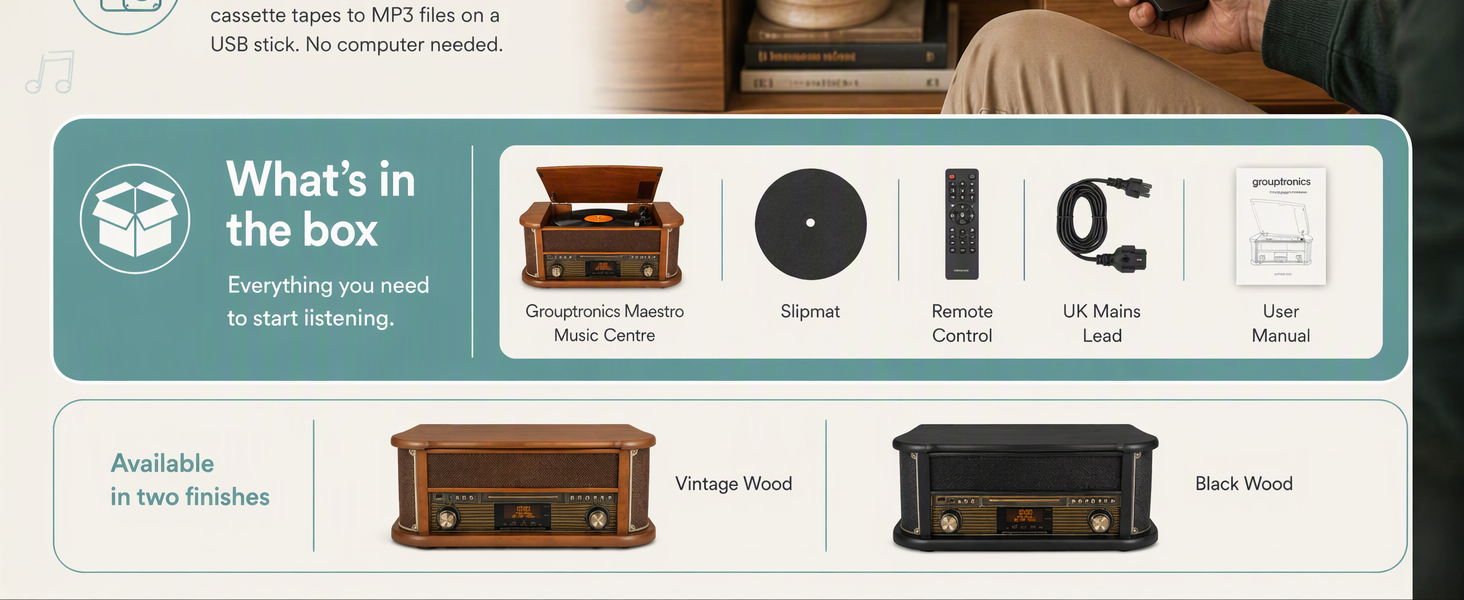
- FULL-SIZE PLATTER, 3 SPEED – A 12in LP sits edge to edge at 33, 45 or 78 rpm, and true auto-return lifts the arm home at the end of the side instead of just stopping. Copy vinyl and cassettes to USB. Slipmat, remote and UK mains lead included.
Product Description


MorrisFKKR (verified owner) –
Its good but at 220 is that enough
I am old enough to have lived through the three eras of vinyl, cassette and CD, so the Maestro appeals to me because it brings all three formats together in one system. It is a large unit, although it isn’t excessively heavy, and the retro styling will probably divide opinion. Personally, I quite like the look.
The Maestro comes in a black wood-grain finish across the top, sides and rear, with orange and black fabric covering the speakers and a mixture of gold and black across the control panel. The orange text on the black LED display fits the retro theme nicely, while the display itself is clear and keeps you informed about what the system is doing.
I don’t have much cassette or vinyl to test, so I have concentrated mainly on CD and DAB performance. The turntable is full-size and will accommodate albums, although the deck itself is lightweight and feels somewhat flimsy. That said, it works perfectly well. The cassette player is tucked away on the side of the unit, while the CD tray is positioned just above the main display.
There is plenty of connectivity here too. Bluetooth pairing with my phone was quick and easy, allowing me to stream music from my subscribed services. There is also a USB flash-drive port for playing stored music, an AUX input and a 3.5mm headphone connection. One particularly useful feature is the ability to record from CD, radio or cassette onto a USB stick, giving the Maestro some additional versatility.
I found the remote control particularly useful. Once the required function has been selected, you can control most of the important features without having to get up and operate the physical controls. There are plenty of buttons and knobs on the unit itself as well, and these are sensibly spaced across the front panel. They are tactile and work well, so you have the choice of using the physical controls or the remote.
The DAB performance has been excellent for me. After connecting the supplied aerial and positioning it for the best signal, I ran a scan and the Maestro automatically found and stored all 108 stations available in my location. This is the maximum number of stations I can receive here, although the number will obviously vary depending on where you live. All the stations remained tuned in without any dropouts during my use. You can save favourites to presets, although I found scrolling through the station list perfectly adequate.
CD playback and control are also straightforward. I did notice that the volume level varies somewhat between CDs. For some discs, a setting of around 25 was sufficient, while others needed to be closer to 35 to achieve the same perceived volume. This isn’t necessarily unique to the Maestro, as I’ve noticed differences in recording levels between CDs on my other players too.
The volume runs from 1 to 40, and I generally had it around 35 when listening to CDs, vinyl and DAB. Despite being close to its maximum, I didn’t experience distortion at that level.
Sound quality is very much focused on the mid and high frequencies. The bass isn’t particularly punchy or rich; instead, it is more subtle, although there is still enough bass presence to stop the sound becoming too thin. Vocals and spoken dialogue have good clarity, while instruments come through cleanly. The five EQ modes give you some flexibility, and I found the Classical setting worked best for my listening.
What you don’t get is a particularly deep or powerful soundstage, so anyone expecting room-filling, bass-heavy audio may find the sound somewhat restrained. However, for general listening to CDs and DAB, I found the overall presentation clean and enjoyable.
Overall, the Maestro is an appealing all-in-one system if you can make use of everything it offers. You get vinyl, cassette, CD, DAB and FM radio, Bluetooth, USB playback and recording, AUX and headphone connectivity, all wrapped up in a distinctly retro-looking unit. The turntable feels a little flimsy and the bass isn’t especially prominent, but the DAB reception, CD playback, connectivity and overall ease of use are all good.
For me, its biggest attraction is the sheer versatility. Rather than having separate equipment for different generations of music, the Maestro puts virtually everything in one place. If you appreciate the retro design and have music across several formats, it is a viable and enjoyable option.
Anonymous (verified owner) –
Grouptronics Hi-Fi Music Centre
This is an incredibly beautiful, very versatile all in one Hi-Fi system.
Firstly, you cannot look past the beauty of this item, it’s a neo classical design, incorporating a good quality record Vinyl player, a tape player (!), a CD player, a DAB radio and USB and AUX input. It also includes Bluetooth! It’s really incredible that so many different inputs and media are supported.
The quality of it is outstanding, it appears to be a wood veneer from the speaker holes and air vents at the back of the player, it’s made of a dense wood with a a textured veneer that is very convincing. If not for the vent holes I would have been convinced it was real wood. It is quite heavy, the speaker grille material is a lovely weave of material that oozes class. The dials and display have a retro feel that invokes a difference technological age.
Using the music centre is easy, particularly with the included remote control. Set up is straight forward and the manual is clear, moving between input is easy. Just be mindful that the take player on fast forwards, it doesn’t rewind, a retro feature but if you have tapes you already know this isn’t a huge problem.
It sounds brilliant. It appears to have two side facing tweeters, as two smaller central speakers under the front grille and some sort of subwoofer at the rear. It produces a really balanced sound although EQ is limited to a few pre-sets, and that’s my only small gripe, as I like to manually adjust the EQ. The Vinyl player is a good quality, and CDs and tapes sound great, the DAB radio was able to pick up all the expected stations in my area using the included aerial.
In terms of value for money, it is exceptional really. I challenge anyone to go out and buy all the component parts of this for less and have such a beautiful item. Indeed most Bluetooth speakers of this output cost more than this.
It isn’t perhaps for the audiophiles out there who would spend 10 times as much, but for me personally, I love it and I’ve enjoyed playing Vinyl with my young son and explaining to him how physical media work.
All-in-all, a stunning item.
By Harlan Levy Journal Inquirer (verified owner) –
GOOD LP/CD/DAB/FM/AUX/BLUETOOTH-AWFUL TAPEDECK-UNRELIABLE SKIPPING MP3 RECORDER
The Record Player arrives in a massive Box. Inside the massive Box is another large Box. On This Box it says “Grouptronics Maestro 513UDA Record Player HIFI. Made In China. Black Wood. G.W 10.6 Kg. N.W 8.6 Kg. Measure: 55.5 x 39.2 x 29 CM. Manufacturer May 19 2026”. Inside this Box is the actual Box that contains the Record Player. On this Box it says “Grouptronics 513UDA Vintage Style Music Centre Maestro. “. On the Side of the Box it says “CD PLAYER. RECORD PLAYER WITH AUDIO TECHNICA CARTRIDGE. DAB+RADIO. FM RADIO. BLUETOOTH. CASSETTE. USB. LCD DISPLAY”.
There is a 15 Page Instruction Manual.
On the front Panel we have USB Socket. Aux In. Earphone Jack. On/Off Button. Function. LCD Display. CD Tray. Remote Sensor. Standby LED. Record. Play/Pause. Stop. Skip Down. Skip Up. Play Mode. CD Tray Eject. Volume +/-. EQ Preset. Mem/Clk Adj. Scan/Delete. Sleep/Timer. Info/Menu. Tune -/+. Turntable Lock Screw.
On the Turntable we find Cue Lever. Arm Lock. Speed Select. Tone Arm. Pick Up Holder. Single Adapter.
Cassette Eject/Fast Forward.
On the back we find Turntable Adjust Support. Turntable Adjust Hole. Line Out. AC In. Antenna.
Remote Control Offers On/Off. Play/Pause. Back. Forth. Stop/Enter. Folder St List Up/Down. Scan, Delete.. Record to MP3. Vol -/+. Track Separation. Sleep/Timer. Eject. Function. Info/Menu. EQ. Mute. Mem. Clk/Adj — Remote uses 2 AAA Batteries.
Page 3 is about what should be in the Box and Basic Operations I am going to cover. Page 4-5 tells that the INFO/MENU Button will display additional information in Radio/MP3 Playback mode. It also tells us due to “ERP” requirements the Unit will shut down after 10 Minutes of inactivity. (No Sound). It also covers DAB and FM Radio Use. TUNE/ENTER will swap between MONO and STEREO in FM Mode. “Forced MONO” and “Stereo Allowed”. Page 5 Tells that up to 20 Pre-Sets can be stored. That should be enough for FM and no way enough for DAB since there was over 5 times as many Stations available. To Save the current Station as a Preset. Press MEM/CLK-ADJ and then press ENTER. Use Left and Right to navigate the Empty Preset Lists. This works in FM Mode too. It also goes into CD Move saying we can Pause the CD with Play Button. Page 6 tells us the MP3 Track Requirements: Bit Rate 32-320 kbps. Sampling Rate 32, 44 and 48 KHz. MP3 CD’s can also be Played. MP3 gets an additional Repeat option of FOLDER REPEAT. Page 7 tells us how we can “program” a CD to play tracks in a certain order which seems like a waste of time. But if you are interested it is the same method as Storing presets. MEM/CLK-ADJ Button, select track with up or down, Press MEM/CLK-ADJ to store. Press Play to Play Sequence. And Stop Twice to wipe it, which is why it is a waste of time. Page 7 also goes into USB. The USB MUST be FAT32 Format and can be up to 32 GB in Size, which could store a lot of Tracks. If that is not enough to store all of your music library you may have to break up your music library into multiple 32 GB Sticks. Same procedure as CD/MP3. Page 8 Tells us that you cannot connect the Record Player to a Computer via USB. It also tells that it can only play MP3 Tracks — which is incorrect because I have played WMA Tracks too — You need to change the Function away from USB Mode to safely remove the USB Device without Corrupting it. Page 8- 9 covers Phono (Record Player) which I will return to later. Page 10. Cassette Player will automatically play a Tape when inserted. Press Tape Forward Button (there is only ONE Button on the “CASSETTE DECK”) to eject the Tape. Slightly press this same button to Fast Forward and again to resume. This one has a dual purpose single button of EJECT/FAST FORWARD.
The Instructions do not recommend that you leave a Tape in the Machine.
Page 10 tells us that the Bluetooth Mode is Receive only not Broadcast. So you can’t Broadcast a Record to an external Bluetooth Speaker for example. (You could still connect the said speaker via AUX Lead(long as it had a 3.5″ AUX in Socket)
Page 11 covers AUX Input which I did with an external DAB Radio.
RECORDING:
The System will create a folder called “RECORD” and record art 128 kbps. Sample Rate 44 KHz. Play a CD. Press RECORD to RECORD and STOP to STOP. You can record the Radio too. — Recording should work in Cassette, AUX, Phono, and BLUETOOTH
If you are recording a Vinyl Album to USB and wish to break up the Tracks rather than record a whole Side as a Single Track then you can break up the Tracks by pressing TB and it will continue recording with another new MP3 File.
You can delete tracks on a USB on the Record Player itself. — SCAN/DELETE. UP and Down to navigate. Press SCAN/DELETE to confirm the track you wish to delete.
Page 13 tells us that when a SLEEP TIMER has expired the System will go into SLEEP Mode. It also tells us about ALARM MODE. Page 14 tells us how to set the Time. This is done with TUNE/ENTER KNOB and confirm with TUNE/ENTER. Bit confusing. The Time was set up automatically from DAB anyway.
Taking the Record Player out of the Box. Looking at the Back I find what looks like 2 Fan Holes like you might find on the PSU of a Desktop PC. There is what seems to be a UHF Socket — and the Socket looks slightly crushed for some reason. We have a Phono Line Out L and Right and a Figure of 8 Female Power Socket.
From the Back looking to the Right Side of the Record Player we find a Cassette Deck. I have used a Deck like this before. It is about as basic as Cassette Players can get. What happens if a Tape gets mangled up inside I have no clue how you would extract the Tape. In short I would not use this as a Cassette Player.
We have a Two large Controls. One is Volume and One is Tuner. I remember seeing Radiograms that had this sort of Stripe Design running across it. A Radiogram would be a Radio and a Record Player.
We have Buttons for EQ, MEM/CLK-ADJ, SCAN/DELETE, SLEEP/TIMER, and INFO MENU. There is a LCD, Standby Light and Remote Sensor. Above this we have the CD Player Tray. We have a USB Socket. AUX IN. Headphones Out. On the other side of the CD Player Tray we have RECORD. PLAY/PAUSE. STOP. DN/FR. UP/FF. PLAY MODE. OP/CL. I think these Button markings could have been made clearer.
I open up the Record Player. Under the Mat we find a plastic turntable. At least it is about 11 Inches Wide. So at least it is not one of those tiny 7 Inch Turntables which really is only fit for playing 45 RPM’s. The Mat feels like Felt.
In the Bottom Left Corner we find the Jukebox 45 Adapter. Looking at the Arm itself we find an Arm Lift. And we find 3 Speed Control. 33/45/78. Sometimes Turntables only have 33 and 45 for some reason.
On the Top of the Turntable we find the Remote Control. An Aerial which resembles a Car Aerial and it has a UHF Male Plug on it. I guess this goes into the crushed UHF Socket.
Switching it on. I can see the Time and Date and Day of the Week displayed on the LCD. Pressing the On Button. It automatically tunes in the DAB Radio Stations. The Dials do not have a limit. They can go round and round endlessly. Select a Station with the Tuner Dial and push when you find something you like. However, if you leave it on a station it goes to it after a few seconds anyway.
In FM Mode, Holding down SCAN you can see it find 11 Stations. Left or Right it moves slowly through the Band. If you Hold down Left or Right it Scans in that direction. Using Folder Up and Down Buttons on the Remote allows you to move through the list of Stations it found and saved as Pre-Sets. It automatically tunes in the next station on the List as you Press Folder Up / Folder Down.
Frequency is Displayed and No Radio Text. “FM STATION LIST” is displayed while you go through the Pre-Sets. Station Name is sometimes Displayed. Additional Information sometimes but usually it’s No Radio Text.
In DAB Mode 132 Stations were found. You can go through the list using Up and Down Folder. Holding Down Up or Down Folder will zoom through the list quickly. Time is Displayed, Station Name and Information about the Station currently being listened to.
Moving to Bluetooth Mode, the Device name is “Maestro”. Your Smart Device will ask if you want to pair with it and then you hear a jingle come out of the Record Player and you’re connected. Very easy. The Sound Quality is passable but not Fantastic.
Interestingly, the LCD Screen displays the Name of the Track that you are playing on your Smart Device.
Moving onto CD Mode. I have a CD inserted and it is Reading. It is more than loud enough in this Mode. You can navigate the Tracks by using Left and Right on the Remote Control. It starts playing the CD Automatically. You can mute the Sound using the Remote. The CD continues to play while it is muted. So when you unmute it continues from whatever point it had reached by then. Play Mode on the Remove allows you to cycle through Repeat 1 Track; Repeat All; Random or Normal. As the CD Plays you get the Time; DISC CD; and Current Track and Current Point in Current Track displayed on the LCD Screen.
There is a Sleep Timer this can be set using the Left and Right Controls from 15 to 90 Mins.
There is an EQ Button. You can cycle through Pre-Sets for Rock; Pop; Jazz; Flat; Classic. Rock seems best because that is what I am currently playing.
Not every Button on the Remote has a purpose in every mode.
Disappointingly, if you leave the CD Move whilst playing a CD, and then return to it, it does not continue from where you left off, it starts at the beginning again.
Inserting a 4 Gigabyte FAT32 Pen Drive full of Music Tracks. The Record Player automatically starts playing tracks. If you leave this mode and return too it, it carries on playing the Track currently being played unlike in CD Mode.
The LCD displays Time; USB and alternates between display current Track Number out of Total Number of Tracks and the Current Point in the Track. The Name of the Track is displayed under this scrolling by.
If I use Folder Up and Folder Down I can navigate through the Album Folders on the Pen Drive. The Good News is it can play both WMA and MP3 Tracks. EQ Works in this Mode. As Does Mute and the Repeat Modes through the options are displayed slightly differently next to the USB Name. So if you have a 32GBPen Drive you could set it to RANDOM and it can be like a Jukebox or the Radio.
Moving to Tape Mode. The Tape goes in at a Weird Angle. The Sound Quality is OK. While it plays on the Screen is displayed Time; TAPE; Time you started playing the Tape and the Date. Changing Mode I guess leaves the Tape locked in Playing Mode until you return to it.
Moving onto the AUX Mode. I Plug in a Small DAB Radio into the AUX Input on the Front of the Record Player. The Sound is Perfectly Acceptable. On the LCD it displays Time; “Auxiliary Input”; Time you went into this Mode and the Date.
It is more convenient to use the Record Player by using the Remote Control. It depends what you are using the Product for.
The Figure of 8 Mains Lead could do with being longer. It is long enough.
The Volume goes up to 40. It is starting to distort at this Volume. It should be plenty for personal listening. About 27 is fine.
The Lid on the Record Player has a Metal Latch. You pull it up. And then it stays up.
I cannot open the CD Tray unless it is in CD Mode. It has to be one of the thinnest CD Trays I have ever seen.
The Sound Quality through Headphones is Excellent.
Using the Functions Button on the Remote I can see the cycle is DAB. FM. BLUETOOTH. CD. USB. TAPE. PHONO. AUX.
RECORDING:
Using a Brand New 32 GB FAT32 Formatted Pen Drive. Empty the Display says “No Song”. My First attempt to record a track off CD. I discover that the Recording Process doesn’t start straight away so you need to pause the CD to wait for the Recording Process to get going and then unpause but in theory you can RECORD to USB. And PLAY something via Function and it will be encoded to MP3. So you could use it as a CD to MP3 Converter through it might be a pain for lots of tracks. Whilst recording you do not see the CD Play Time you see CD0000N where N is the name of tracks and REC: Time. 00:00. Mins and Seconds.
You can play back the recording by going to Function and change to USB and then Left and Right through the tracks until you find the Tracks. Sound OK but I thought I noticed a jump in the recording at one point.
Now Trying to Record a Track from Tape. This more awkward because the Cassette Deck is like the most primitive Deck in the World. It has No Controls whatsoever apart from EJECT/FAST FORWARD and so for this reason I just record the next track on the Tape to USB. Just by going to Tape in Function, since there is a Tape already in the Deck, it just plays without hesitation. And I just press Record. The Track has the name TAPE0001.
Pressing Play/Pause stops the recording of that track. It does not stop the Tape Playing. Again to play back change Function to USB. The Sound Quality of the Song recorded from Tape is actually very good. Pity the Tape Deck is Awful. Even so I can hear a jump in the Recording. In otherwards it is not accurately recording everything. It is occasionally skipping.
Now Trying to Record off the AUX Input. I still have DAB Radio Connected to the AUX input. But this could be anything you like. Recording a Song off the Radio via AUX. The File Name for this Recording is AUX0001. Record to Start. Play/Pause to End. There doesn’t seem to be a STOP Button on the Remote. Playing back the Sound Quality is again Fine. The Display shows USB — Current Track Playback time and under this AUX0001.MP3. I can still hear some slight skipping going on.
Now Trying to Record a Song off Record Player’s built in DAB Radio. It has The Filename DAB0001.MP3. Playing back the Song. Sound Quality is Excellent, best so far. It is STILL Skipping.
Now Trying to Record off FM. File name is FM0001.MP3. Display shows Time, FM0001.MP3, and REC:00:00. You cannot change FUNCTION while recording. So you can’t start recording a CD and then suddenly record Tape etc. Sound Quality is fine. Haven’t noticed any skipping here.
Now Trying to Record Audio off Bluetooth. I have a Track playing on my Phone. Phone connected automatically to Record Player. Press Record. File Name is BT0001. This could be useful for capturing stuff via Smart Device. I Try several tracks in this Mode. Playing back sounds Fine; I haven’t noticed any skipping yet. On Playback Display shows USB alternates between Track Number out of Total Tracks and Current Point In Track. Yes. It is skipping. Multiple times close together. Strange.
So, you have a versatile Record Player that is capable of Recording to MP3 on USB from a variety of sources — Bluetooth; AUX; DAB; FB; TAPE; RECORD PLAYER and it cannot record reliably.
Finally, I get to the Main Event. There is a Screw in the top corner of the Tone Arm — You can’t miss it — This needs to be screwed in by Hand or with a Coin — I did it by Hand — And this is to release the Mechanism so that it can Float. You have a Tone Arm Lift Control. You have 33/45/78 RPM. The Manual does not mention anything about adjusting the Weight on the back of the Tone Arm; through it does seem to have one.
The Instructions tells us that it may be necessary to adjust the Return Mechanism.
You Manually put the Tone Arm onto the Start of a Record, And when it finishes it the Tone Arm automatically returns to it’s base.
Try out the Record Player for the first time. Playing a 45 RPM Single. Speed sounds OK. Just as well as I cannot see any means of adjusting it. The Tone Arm came off before the end of the Record. Oh well. The Manual tells you to look for a label on the back of the turntable — which doesn’t exist — which says remove cover. There is no cover. There is Two Holes above the Phono Sockets. It’s the first one you want. You have to turn it 45 Degrees if the Arm is coming off the Record too soon Clockwise or Anti-Clockwise if it is not coming off at all. You need to do this several times.
Recording Records. Filename is Pho0001.mp3. Can I hear some distortion? Display shows USB Alternating with Track Number out of Total Tracks and Current Point in File under this the File Name. Yes. It is still skipping, but not often. I can definitely hear Distortion. Not sure if it is the Speakers. Definitely Skipping. Yes. Multiple times in a Single that last 3 Mins.
I record a 2 Hours Radio Show to see what happens when the counter goes over 99 Mins and also set a sleep timer for 90 mins 30 mins in. To see if it will shut off at the end of show. It just goes to 3 Digits in the Mins Counter and it switched off as planned after the 2 Hour Radio Show finished. Playing back the Recording I noticed the Recording went blank suddenly after 41 Mins 40 Seconds.
You can fast forward or rewind through a Recording by holding down the LEFT and RIGHT / PREVIOUS and NEXT BUTTONS.
SETTING ALARM:
Press the Sleep/Timer Button on the Remote Control. It’s hard to see on the Record Player itself this Button. Then you set up the Alarm using the Dial and pushing in to OK. You Switch Alarm On. Everything is Rotate the Dial until you see what you want and then press the Dial in to Set. You select the time of day you want. You select if this is every day, weekday, weekend or once. You select what you want to be woken up with. DAB. FM. Buzzer. You Save. The Display shows ALARM(N). N Being 1 or 2 Set. When the Alarm goes off — I set Buzzer — before returning to a display of Time; Day of the Week; Date. (Day; Month; Year). At Alarm Time. Display says Time with Alarm under it. Buzzer starts off Quiet and gradually gets louder and louder up to the Volume you set for it. It’s called Buzzer but it’s a Beep Beep Noise bit like pips you get on Radio 4. Unlike the Alarm on a Watch it doesn’t give up after 20 Seconds. It keeps going. It was still going when I turned it off at 10 mins worth of Beep Beep. If you press SLEEP TIMER Button you can get 5 — 30 Mins of Snooze Time. You can alter the Volume of the Beep Beep even as it is going off. SNOOZE is Displayed along with a Count Down Timer in Mins and Seconds. Switching the Record Player on turns off the Alarm.
I have played a Whole Tape OK. The EJECT Button is sticking out about an Inch while it plays. And not at all when there is no Tape in the Cassette Deck. I have played a Whole CD and that was fine.
I pressed the REC/PLAY Button next to the CD Tray and it started to play CD again as intended but as unintended it actually recorded the whole CD to USB and also, split the tracks up as it went automatically. Through the Buttons have Names on the Front, they are hard to see.
I am recording a LP to USB. I am going to attempt to split the Tracks into individual MP3’s as I go. The Manual tells you not to have the Dust Cover/Top Closed when you are playing a Record. When the current track fades out to nothing I just press TB and it carries on.
So we have a pretty good to excellent Record Player, especially since it uses a great Cartridge/Stylus which will not be cheap to replace.
We have a DAB Radio, always a good thing, FM too.
We have a CD Player, pity it is not a CD Recorder, but still we have a CD Player.
We have AUX Inputs, 3.5″ Sockets, and 3.5″ Headphone Sockets.
We have Bluetooth too; through Receiving only.
We have an AWFUL CASSETTE Deck. How long it will be before you are trying to retrieve a Cassette out which has Tape wrapped round the Buried Tape Heads like spaghetti I have rarely seen a Cassette Deck so Basic.
So the Unit can record, and from a variety of sources, the resulting recording is not very good has bits missing throughout. I am using SanDisk Pen Drives would not expect to have Write Speed Issues.
So we are left with a Pretty Good Record Player, DAB/FM Radio, CD Player, Bluetooth Speaker and AWFUL Cassette Deck and Skipping Unreliable MP3 Recorder.
Business Matters (verified owner) –
A fantastic classic retro looking music centre.
This Grouptronics Maestro Record Player is a great-looking music centre with a classic wooden finish. The built-in speakers are brilliant and produce clear sound for everyday listening. It’s easy to use and has a nice retro design that fits well in the home. A good choice for anyone who wants a straightforward record player without needing separate speakers.
A fantastic looking classic music centre.
SpencerWhittaker (verified owner) –
Decent all in one
Pros
* You get a lot for your money here
* decent output of volume and sound quality
* quite a nice visual style
* DAB radio quick and v easy to use
Cons
* The turntable plastics and mechanism belies cheaper-under-the-hood cost savings
* CD drawer takes a long time to come out
* difficult to see icons under buttons, metallic on metallic with no colour nor contrast
This is, in essence, pretty much all you would need for any audio media you could wish to play. The unit looks fairly attractive, and you get a lot for turn money. But quantity didn’t mean quality. The highlight is the DAB, not surprising being ” digital “. The mechanical stuff (the record player, the tape, the CD) all works, but at around 3 out of 5 stars type rating. For example, the record player stylus uses the most basic of plastics. The hook holding down the stylus was broken on mine – unfortunate but indicative perhaps of quality of plastics used. The stylus also was wonky on the records, although this didn’t seem to affect the sound.
Overall the sound quality is decent. Volume is more than enough for a living room, but not a disco.
As an all in one, it’s a cheap way to go back to hifis of yesteryear.
SiobhanTXH (verified owner) –
Proper old school music centre, does pretty much everything
Got this because I’ve still got a box of records and a load of CDs knocking about and didnt fancy a stack of separates taking up the living room. First impression is it’s a big old unit, came double boxed and weighs a fair bit, and the black wood veneer looks nice and smart, more like a bit of furniture than a plastic all in one.
It does just about everything. Vinyl at 33, 45 and 78, CD, cassette, DAB and FM, Bluetooth, USB and aux in on the front, plus a headphone jack. Worth knowing the Bluetooth is receive only, so you cant send the record player out to a speaker.
DAB is the highlight to be fair, the scan picked up loads of stations and it held them no problem. CD playback is dead easy with the remote, and the remote does most things once you’ve picked the mode.
The turntable is full size so LPs sit properly, and the auto return is a nice touch. Sure the deck itself feels a bit light and plasticky, but it plays fine. The cassette deck is very basic though.
Sound is clear with decent volume for a living room. It’s more mids and highs than big bass, and the EQ is just a handful of presets. My only real gripe is the buttons, the writing is hard to read, but not awful.
So yeah, not one for audiophiles, but for playing all your old stuff from one box it does the job.
RachaelEhf (verified owner) –
Just what I wanted
It’s everything that the advert says and was delivered on time I am very pleased with the sound quality and tone,it looks great and does all it is intended for absolutely no complaints.