
Enjoy the Big Screen
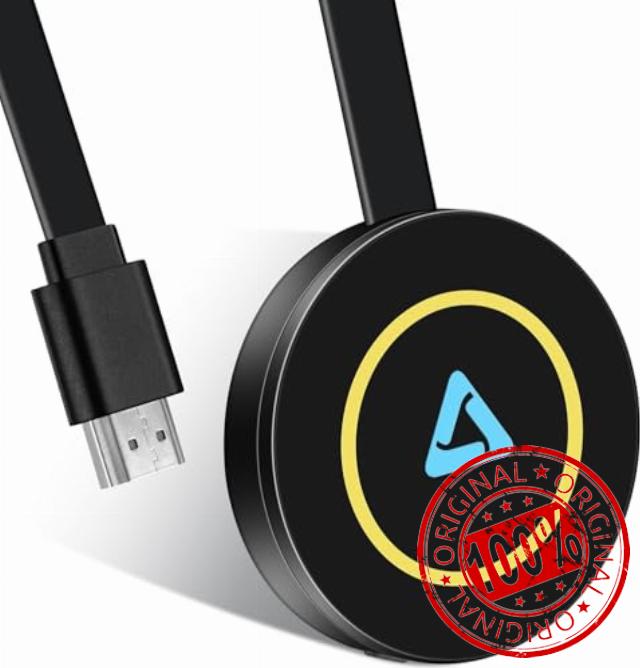
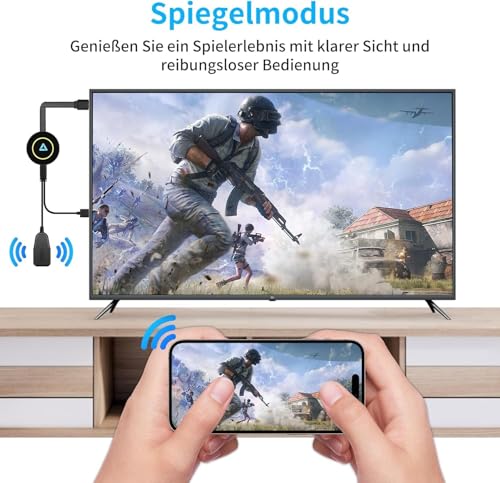
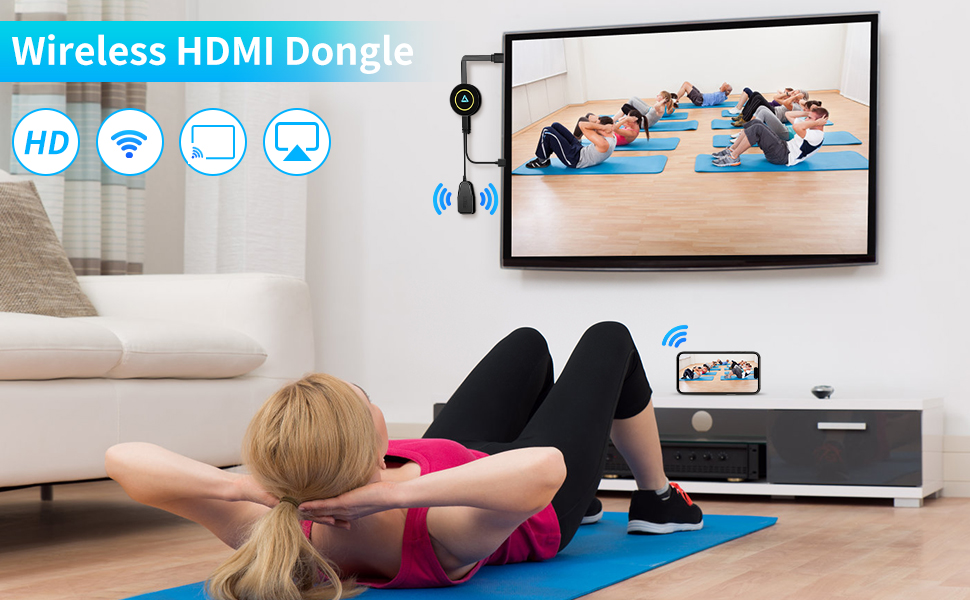
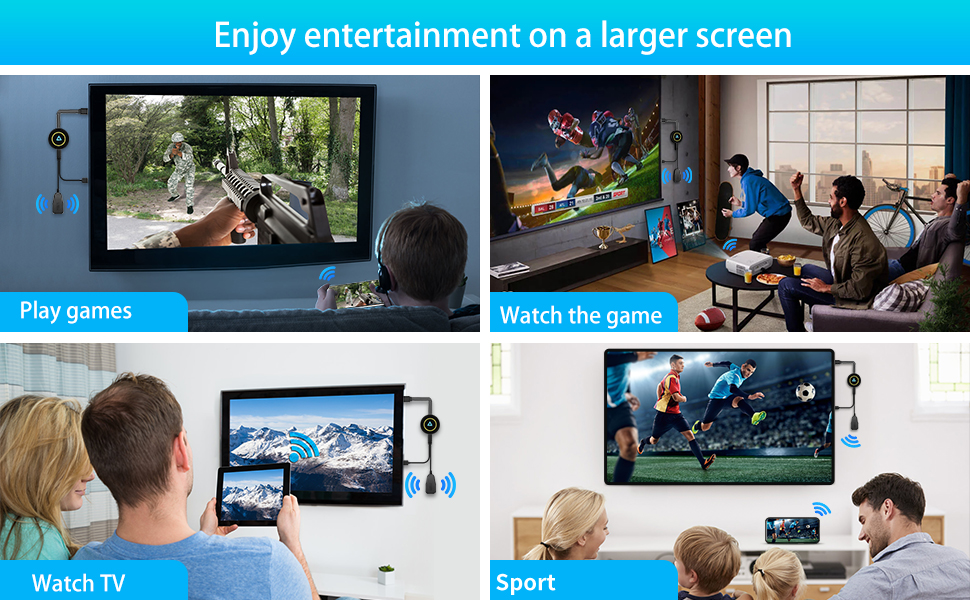
The wireless display dongle allows you to seamlessly mirror the entire screen of your smartphone, tablet, or laptop to your TV, enabling you to effortlessly enjoy content from your mobile device on a larger display. With this technology, you can achieve a cinema-quality visual experience without the need for complicated cables, making the big-screen experience more convenient and straightforward.
You can easily stream your favorite fitness videos from your phone or tablet to your TV, enjoying a larger, clearer screen. Whether you're doing yoga, workout routines, or cardio exercises, the big screen enhances your fitness experience, making it more comfortable and efficient.
Some potential issues you may encounter during use
Q1: Unable to connect or having issues with screen mirroring? A1: Press and hold the button on the device for 10 seconds to restore factory settings, or disconnect and reinstall the device multiple times.
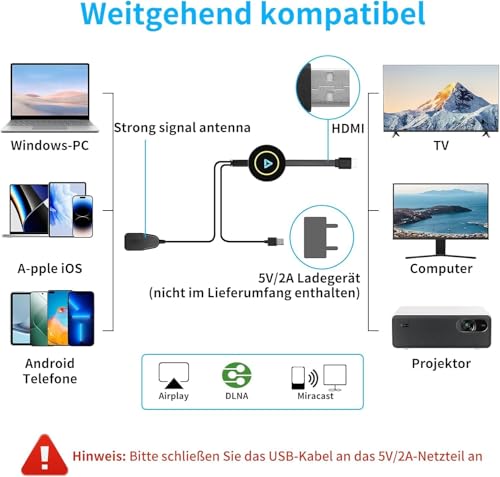
Q2: Cannot find the device’s Wi-Fi signal? A2: Ensure that the product is using the "dedicated power antenna," and restart both the device and the phone. Please ensure that the product is powered on and displaying the home screen; it is recommended to use an external 5V/2A power adapter.
Q3: Why is there lag or disconnection during playback? A3: The projection device is a signal receiver and does not cause lag or disconnection by itself. Clear the phone's cache, close unnecessary programs, and restart the phone to reconnect. During projection, if lag or disconnection occurs, please shorten the distance between the phone and the device’s antenna to improve signal strength.
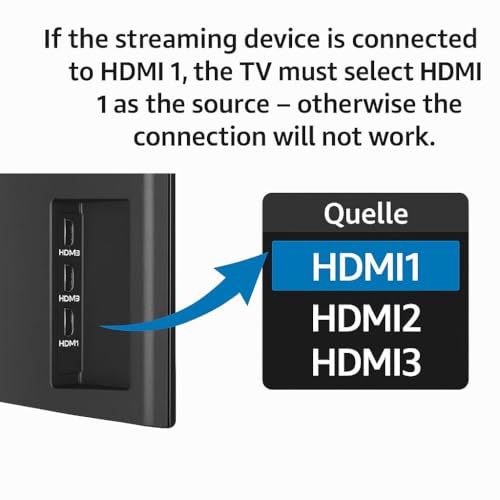
Q4: Why is the TV screen black, snowy, or flickering? A4: Please check if the HDMI connection on the device is secure and switch to the appropriate input source. It is recommended to use a 5V/2A power supply. Also, check if the HDMI port on the TV is worn or has a poor connection; try changing the HDMI port.
Q5: Why is there video without audio or audio without video during playback? A5: Please turn off and restart the projection device or restore it to factory settings. Reinsert the HDMI connector to ensure a proper connection; use an external 5V/2A power supply. Make sure the volume on the phone/TV is normal and can be adjusted using the volume buttons on the phone or the TV remote control. During projection, some videos may be subject to copyright restrictions, resulting in audio without video; please try changing the video.
Q6: The computer cannot connect or experiences lag A6: A system of Windows 10 or higher is required, along with a dedicated graphics card and a 5G router.
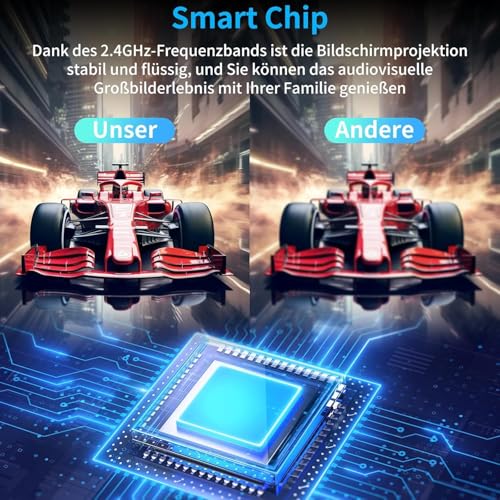
- 【Cinema-Quality 4K HDR & Seamless Streaming】Experience pin-sharp 4K Ultra HD playback with HDR support for vibrant colours and crystal-clear detail. This advanced wireless display adapter features a 5G/2.4G dual-band chip for ultra-fast, buttery-smooth transmission – the ultimate wireless HDMI solution for 4K movies, sports, or presentations. Military-grade tested for 72-hour continuous operation.
- 【True Plug & Play – Ready in 3 Steps】Get started instantly: just plug in, connect, and enjoy! This Miracast dongle requires no apps, Bluetooth, or Wi-Fi. Simply connect via HDMI and USB (5V/2A included), pair your device, and stream instantly. One-touch control switches between portrait and landscape modes, perfect for any scenario.
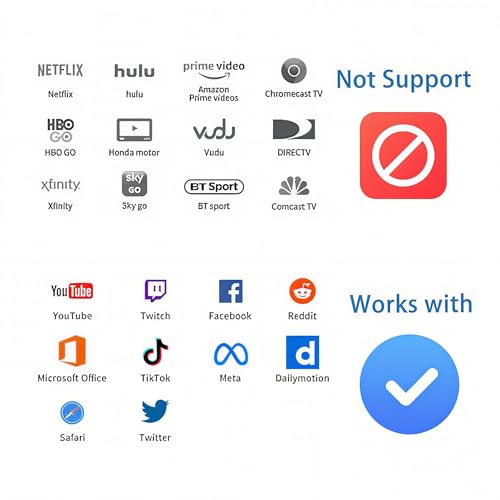
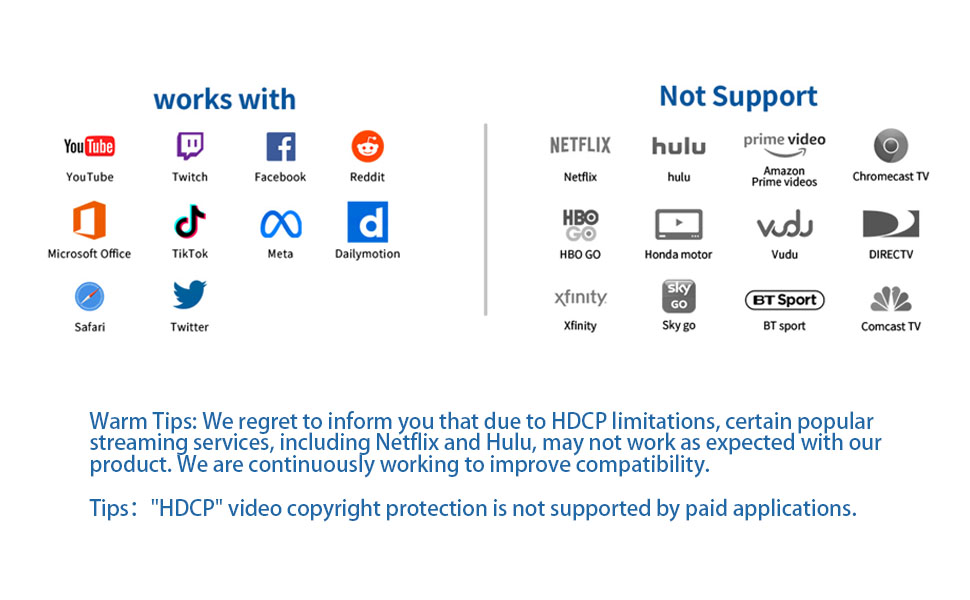
- 【Maximum Compatibility: AirPlay, Miracast & DLNA】As a universally compatible wireless display adapter, this Miracast dongle works with iOS, Android, Windows, and macOS. It supports AirPlay, Miracast, and DLNA, letting you stream from YouTube, Office apps, or browsers directly. (Note: Limited with HDCP-protected apps like Netflix/Prime Video/Xiaomi Router.)
- 【Two Flexible Modes: Mirror & Extend】Choose between 1:1 screen mirroring or using your TV as a second display. This wireless HDMI adapter enables seamless multitasking between your phone and the big screen. Enjoy a stable connection with a range of up to 20 metres.
- 【Why Choose Our Adapter? The Ultimate Wireless Display Adapter】4K Precision: Pixel-perfect playback with dynamic contrast. Unmatched Freedom: A true cable-free experience with this streamlined Miracast dongle. Universal Compatibility: Works with 99% of devices. Pro-Level Reliability: Built for business and continuous use. Ultra-Simple Setup: Unbox, connect, and impress in moments. Upgrade your viewing and presentation experience with our powerful wireless display adapter – the smart choice for both cinema-quality entertainment and professional productivity.
Product Description
Some potential issues you may encounter during use
Q1: Unable to connect or having issues with screen mirroring? A1: Press and hold the button on the device for 10 seconds to restore factory settings, or disconnect and reinstall the device multiple times.
Q2: Cannot find the device’s Wi-Fi signal? A2: Ensure that the product is using the “dedicated power antenna,” and restart both the device and the phone. Please ensure that the product is powered on and displaying the home screen; it is recommended to use an external 5V/2A power adapter.
Q3: Why is there lag or disconnection during playback? A3: The projection device is a signal receiver and does not cause lag or disconnection by itself. Clear the phone’s cache, close unnecessary programs, and restart the phone to reconnect. During projection, if lag or disconnection occurs, please shorten the distance between the phone and the device’s antenna to improve signal strength.
Q4: Why is the TV screen black, snowy, or flickering? A4: Please check if the HDMI connection on the device is secure and switch to the appropriate input source. It is recommended to use a 5V/2A power supply. Also, check if the HDMI port on the TV is worn or has a poor connection; try changing the HDMI port.
Q5: Why is there video without audio or audio without video during playback? A5: Please turn off and restart the projection device or restore it to factory settings. Reinsert the HDMI connector to ensure a proper connection; use an external 5V/2A power supply. Make sure the volume on the phone/TV is normal and can be adjusted using the volume buttons on the phone or the TV remote control. During projection, some videos may be subject to copyright restrictions, resulting in audio without video; please try changing the video.
Q6: The computer cannot connect or experiences lag A6: A system of Windows 10 or higher is required, along with a dedicated graphics card and a 5G router.

Celina29Rvn (verified owner) –
Fits into the budget and very high quality
This item is stunning for the price. With 6 ports I had no problem with setting up my gaming setup. Also includes 5 USB ports for things like charging phones and etc. Lastly, if you are like me and are looking for a budget surge protector that comes with enough ports for all your needs. This item is definitely the one.
Maribel92F (verified owner) –
Practical design, not clunky
Very satisfied with this purchase, this surge protector is a great size and shape to be tucked away behind a table or shelf or mounted on the wall for easy yet discreet access. Plenty of outlets and USB ports so I never have to dig through a miscellaneous electronics bin for an adapter to charge my devices. Twice the charging power for half the price of most surge protectors
Jimmie (verified owner) –
Perfect for screen mirro
Does exactly what I want ! Perfect device for screens mirroring my phone as my smart TV is not new enough for have built in Airplay. So this device help by not spend a 100 to buy a AppleTV. Might not be as good as an AppleTV but definitely good enough!
Anonymous (verified owner) –
Seamless casting straight to my TV
Fantastic product for people who have a nice TV but lacking any smart capabilities, so can’t justify replacing the entire thing. This easy to use dongle breathes new life into my older TV, i’m able to seamlessly stream content from my iPhone to my TV without any complicated messing around with settings and buttons. Once setup, it’s just a simple tap to cast and you’re ready to enjoy! Really couldn’t be any simpler to use. Very happy.
Gant Team (verified owner) –
A dependable wireless dongle: a practical companion for modern screens
This wireless HDMI dongle provides a straightforward and reliable solution for mirroring screens across various devices. With support for modern protocols like Miracast, Airplay, and DLNA, it proves compatible with smartphones, tablets, and computers alike. The setup is refreshingly simple, ensuring even the less tech-savvy among us can utilize it effortlessly.
In operation, it performs admirably, delivering smooth, lag-free visuals suitable for both professional and leisurely pursuits. Compact and unobtrusive, it blends neatly into any environment. A fine addition to one’s collection of practical tools for modern living.
Anonymous (verified owner) –
Handy little helper for the whole family
Setting it up was straightforward, even for someone inexperienced with technology. I mainly use it to mirror content from my phone onto the television for the children. My daughter enjoys watching her online drawing tutorials on the larger screen, while my youngest likes streaming his favourite songs during playtime. It’s also been beneficial for me when following yoga videos on the TV, I can actually see the poses clearly now!
One thing to note is that certain apps like Netflix don’t function due to copyright restrictions, which did catch me off guard at first. That being said, it still works well for playing videos from other apps or directly from your photo library. It’s compact, tidy, and helps keep the room looking organised, just plug it in, and it remains discreetly out of sight.
KeishaFlaherty (verified owner) –
Easy setup, it does what I expect! Nice gadget.
Plug in to my Tv HDMI port, connect with my iPhone, start to watch movies, play song, game or more on bigger screen.
It also works with my computer monitor, little gadget with lots of fun.
Anonymous (verified owner) –
Great product to take away or on holiday
I work away so I bought this product to allow me to watch my favourite shows whilst working abroad. I can simply plug this device into any TV HDMI and cast my favourite shows from Netflix or Prime apps on my phone to the TV. It’s small, compact and easy to set up and use. No issues with lag or buffering!
IRBRodrick (verified owner) –
Best thing to share memories on the big scree
Have tried to find something so that I can show the contents on my phone on the TV screen. I saw this item on here and surprised how easy the thing is to set up and use. I feel like buying one for each TV in the house. If you want to show the things on your phone on the big screen this is the item you want.
Anonymous (verified owner) –
Seamless HDMI casting from iPhone
This HDMI adapter makes it very easy to cast videos and mirror the iPhone via built in airplay on the mobile. It’s working seamlessly for the moment with no lag. I’ve not tried the android compatibility.